Tripcatcher works for those who use their own vehicle(s) for business, as well as company car drivers who claim their business mileage.
Tripcatcher also allows bespoke rates for both personal and company vehicles. The types of vehicle and the actual mileage rate to be used are set up on your Tripcatcher Settings page.
If you drive your own car for business and claim HMRC Approved Mileage Allowance Payments (AMAPs), there is nothing for you to change as this is the default setting for Tripcatcher users. However, if you drive a company car or claim a bespoke rate then please follow the instructions below.
If you drive an electric vehicle, there are more detailed instructions here.
1. Go to Settings
Open the “Settings” menu and scroll down the page to the Vehicle & Rate Card section.

2. Configure Settings
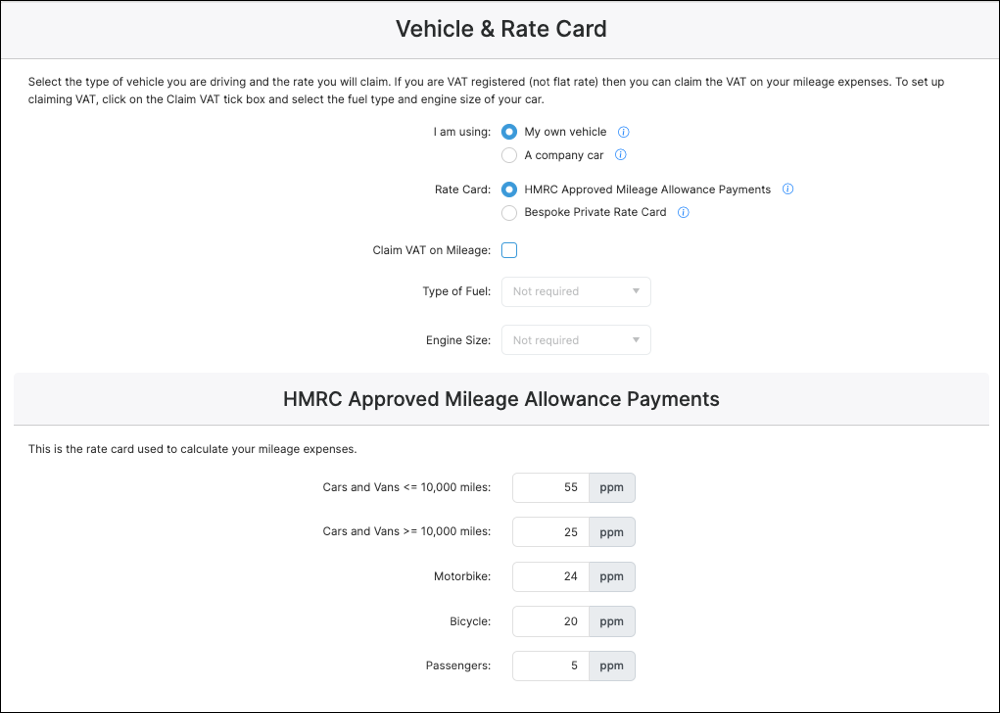
All vehicle information is setup from the Vehicle & Rate Card section on your Settings page.
3. Driving your own vehicle
The first selection is about the type of vehicle you’re using. If you’re using your own car, van, motorbike or bike for business travel, then select My own vehicle. If you’re driving a company car then go to section 5.
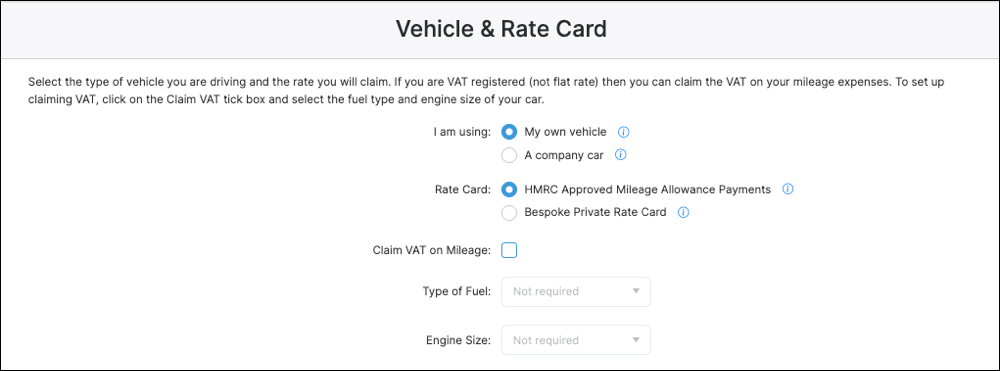
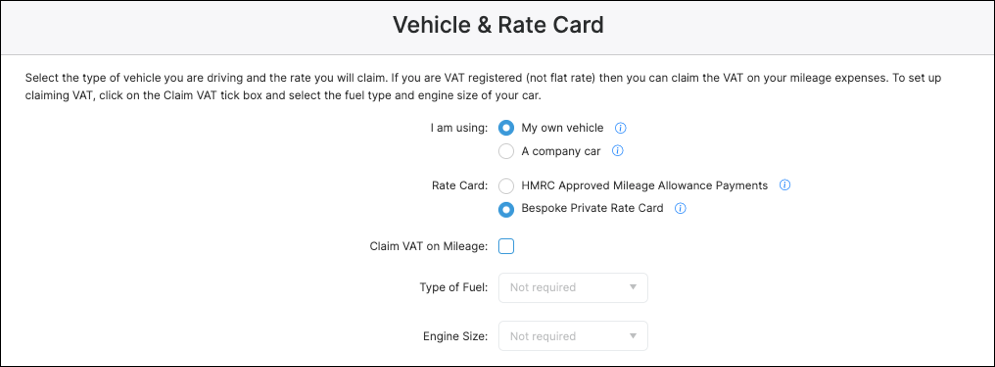
When using your own vehicle for business, your next selection is the mileage rates you’re using. This can be the HMRC Rate (Approved Mileage Allowance Payments – AMAPs) e.g., 55ppm for a car or van, reducing to 25ppm after 10,000 miles. Or, if you’re paid a different rate, select Bespoke rate.
4. Rate Card
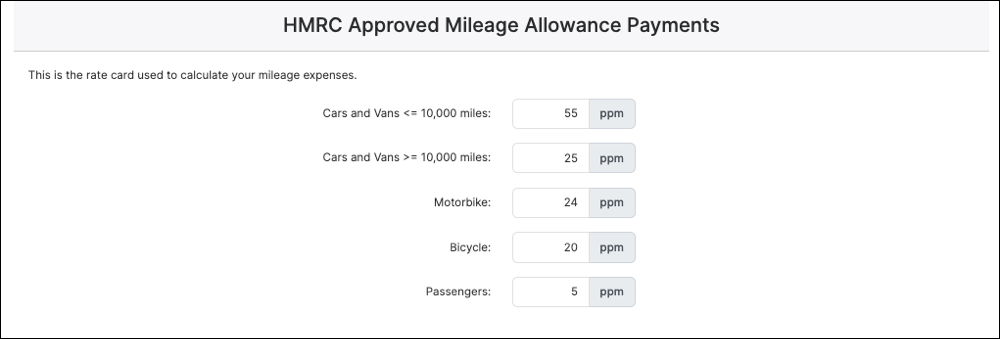
When using HMRC rates, the HMRC Rate Card table will contain the rates that will be used by Tripcatcher. These cannot be changed.
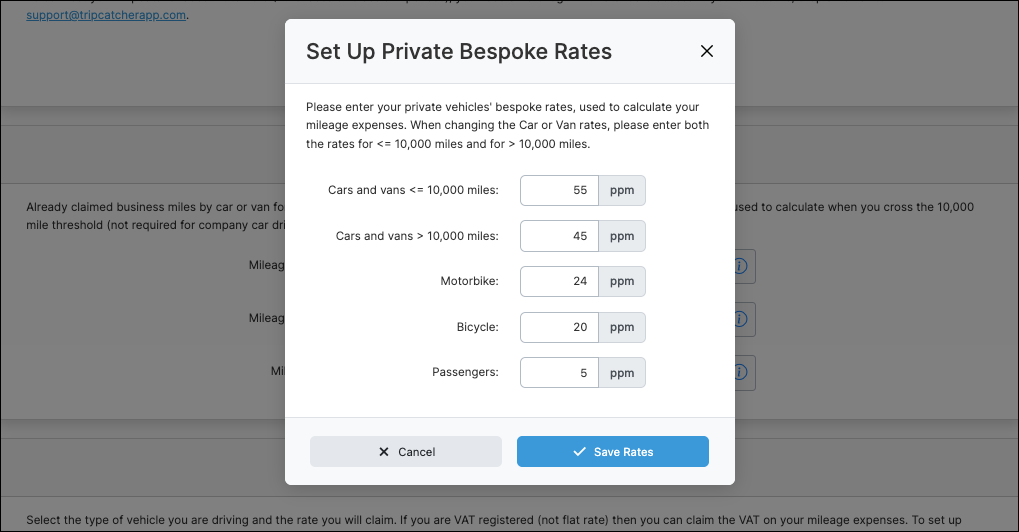
When using Bespoke rates, ensure the Bespoke rate is selected and an edit box (showing the existing private mileage rates) will be displayed where you enter your bespoke rates. As you’re driving your own car, ensure you enter both the under 10,000 miles rate and the over 10,000 miles rate. Otherwise, Tripcatcher will use the default rate of 25 ppm for over 10,000 miles.
5. Company car
If driving a company car or van for business then select A company Car. The next selection is the mileage rate you’re using. This can be the HMRC’s Advisory Fuel Rate. Or if you’re paid a different rate, select Bespoke rate.

If you chose the Advisory Fuel Rate (AFR), then you need to select the Type of fuel and Engine size of your car to ensure the right AFR is used.
6. Advisory Fuel Rates
When using the Advisory Fuel Rate; once the vehicle fuel type and engine size have been selected, the Advisory Fuel Rate Card will contain the rates that will be used by Tripcatcher for your vehicle. These cannot be edited.

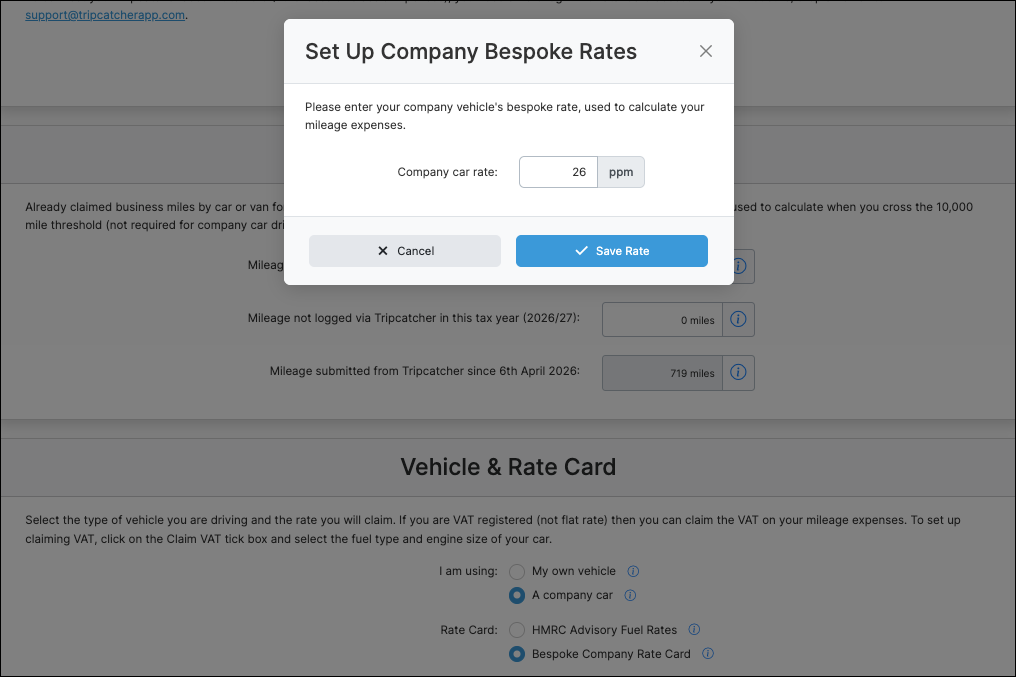
When using a bespoke rate select Bespoke rate and an edit box will be displayed where you enter your new rate.
The selections and changes you make on the Tripcatcher Settings page are automatically saved; you will see a green banner at the bottom of the settings page letting you know your changes have been saved
Once your mileage settings and rates have been set up on the Tripcatcher Settings page, they will be used to calculate your future mileage claims. More information on mileage rates can be found here.
If you have any questions about setting your mileage rate please do get in contact with support@tripcatcherapp.com and we will be happy to help.